
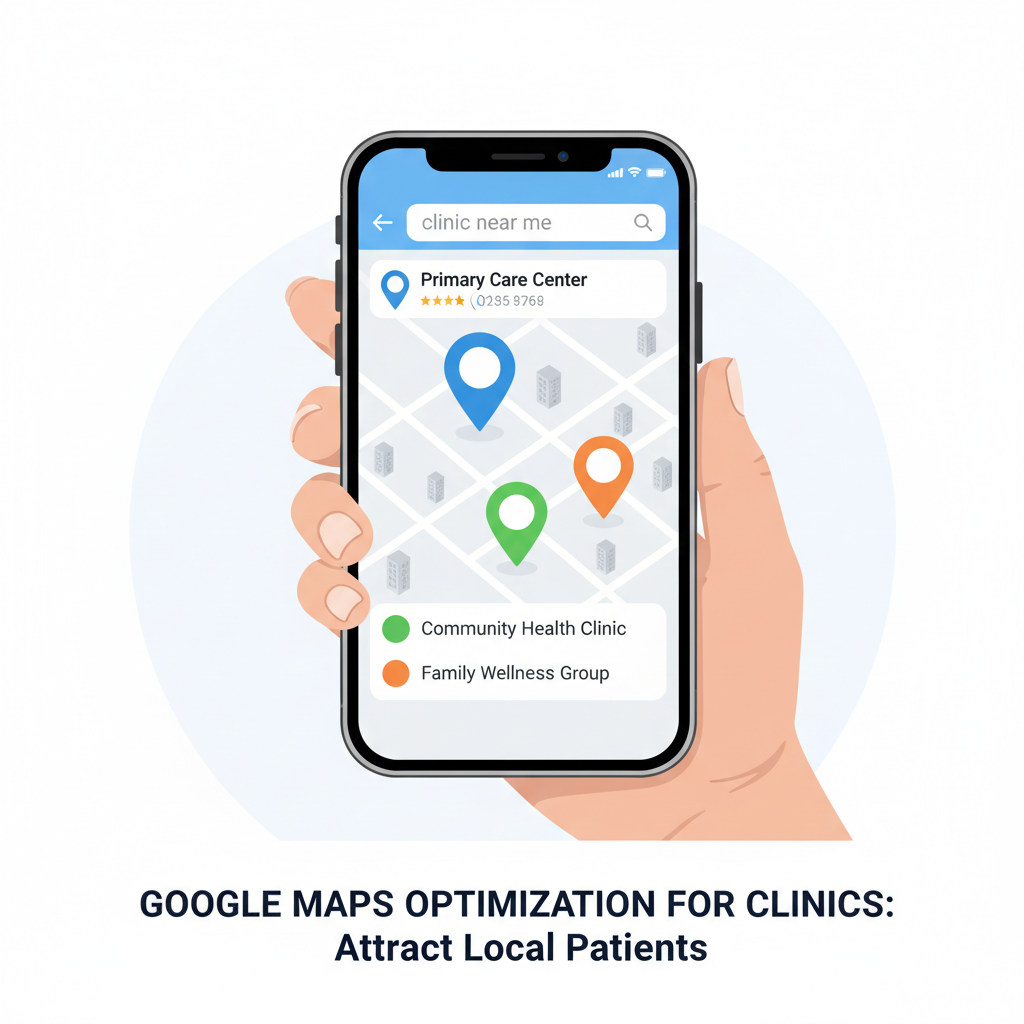
Imagine a potential patient just moved into your neighborhood. They develop a nagging cough and pull out their phone, typing “doctor near me” into Google. A map appears with three prominent listings at the top—the “Local 3-Pack.”
Is your clinic one of them?
If the answer is no, or “I’m not sure,” you are missing out on the single most powerful source of new, local patients. In today’s digital world, your clinic’s visibility on Google Maps isn’t just a bonus; it’s a fundamental requirement for growth. This is where Google Maps optimization for clinics comes in, and this guide will walk you through everything you need to know.
Struggling to get found by patients in your area? You’re not alone. But by the end of this article, you’ll have a clear, actionable roadmap to turn your Google Maps listing into a patient-attraction machine.
What is Google Maps Optimization (and Why Should Your Clinic Care)?
Google Maps optimization is the process of enhancing your clinic’s Google Business Profile (GBP) to increase its visibility in local search results, especially within the Google Maps “Local 3-Pack.”
Think of your Google Business Profile as your digital storefront. It’s often the very first interaction a potential patient has with your practice. When someone searches for “pediatrician in [Your City]” or “chiropractor near me,” Google’s algorithm scans all relevant GBP listings to provide the most accurate and trustworthy results.
Why is this so critical for your practice?
- High Patient Intent: Searches on Google Maps are from people actively looking for a service right now. They aren’t just browsing; they need an appointment.
- Zero-Click Searches: According to a study by SparkToro, nearly two-thirds of Google searches are now “zero-click,” meaning the user gets their answer directly from the search results page without clicking on a website. Your GBP provides your phone number, address, and hours right there.
- Trust and Credibility: A well-optimized, professional-looking profile with positive reviews instantly builds trust. An incomplete or neglected profile does the opposite.
The bottom line: If you’re not optimizing for Google Maps, you are handing new patients directly to your competitors down the street.
The Foundation: Claiming and Optimizing Your Healthcare Google Business Profile
Everything starts with your Google Business Profile. This free tool from Google is the control panel for how your practice appears on Google Search and Maps. Let’s get it set up for success.
Step 1: Claim or Create Your Profile
First, you need to see if a profile for your clinic already exists.
- Go to google.com/business and sign in with a Google account.
- Type in your clinic’s name and address.
- If a profile appears, you’ll need to claim it. Google will verify you’re the owner, usually by sending a postcard with a code to your physical address. If no profile exists, you can create one from scratch.
This verification step is crucial. As noted on Google’s official support page, it ensures that only you, the rightful owner, can manage your clinic’s information.
Step 2: Nailing the Basics (Your NAP+W)
Consistency is the bedrock of local SEO for doctors. Your NAP+W (Name, Address, Phone Number + Website) must be identical everywhere it appears online.
- Clinic Name: Use your official business name. Don’t add keywords like “Best Doctor in Town”—this can get your profile suspended.
- Address: Use the exact same format as your physical signage and other online directories.
- Phone Number: Use a local number, not a call-tracking or 800 number, as your primary contact.
- Website: Link directly to your clinic’s homepage.
An error as small as writing “St.” in one place and “Street” in another can confuse Google’s algorithm and harm your ranking.
Step 3: Choosing the Right Healthcare Categories
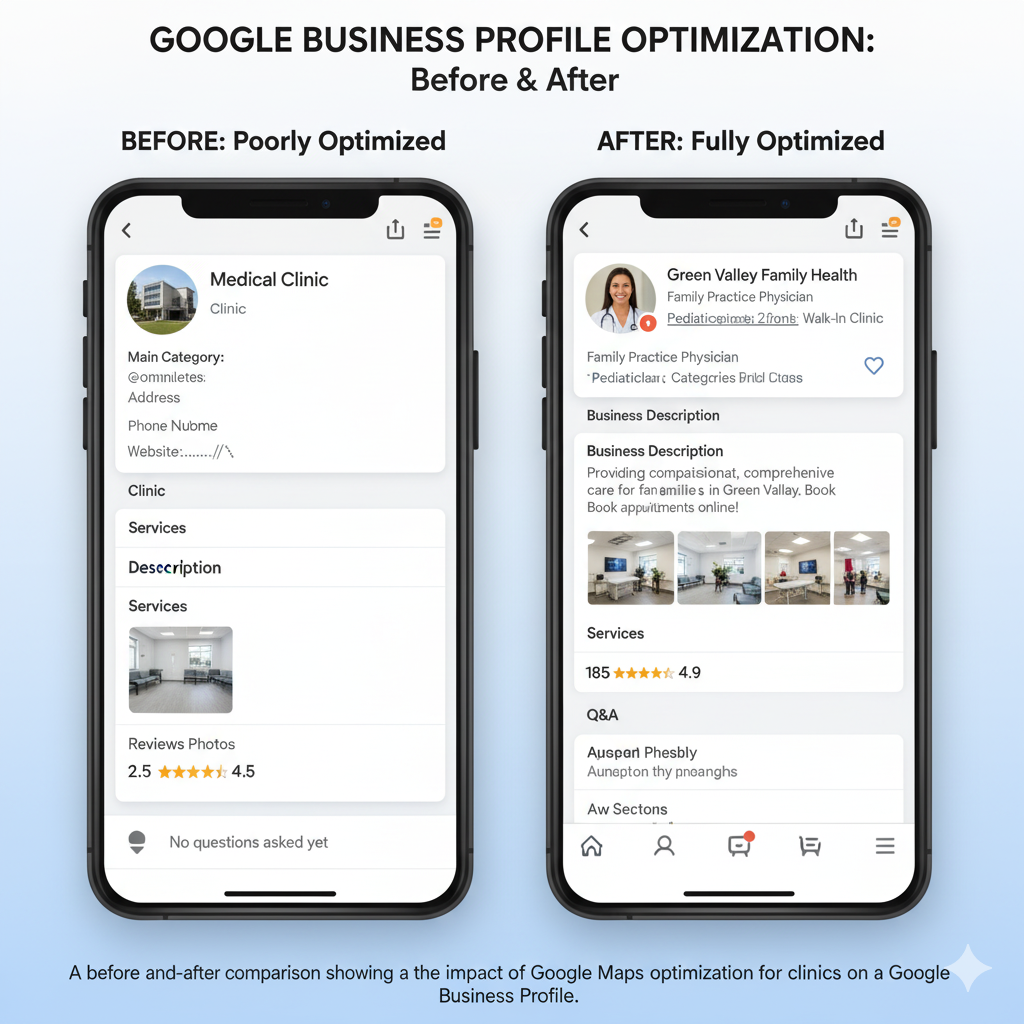
Categories tell Google exactly what you do. This is one of the most important ranking factors.
- Primary Category: Choose the one category that best describes your overall practice. For example, “Family Practice Physician,” “Dermatologist,” or “Physical Therapy Clinic.”
- Secondary Categories: Add other categories that represent the services you offer. If you’re a family practice that also offers pediatric care, you could add “Pediatrician” as a secondary category. Be specific and thorough.
Step 4: Writing a Compelling Business Description
You have 750 characters to tell potential patients who you are. Don’t waste it!
- Lead with your most important information.
- Use keywords naturally, such as your primary services and location.
- Highlight what makes your clinic unique (e.g., “compassionate care,” “state-of-the-art technology,” “serving the community for 20 years”).
- End with a soft call-to-action, like “Visit our website to book your appointment today.”
This is your chance to connect with patients on a human level before they even walk through your door.
Advanced Strategies to Dominate the Local 3-Pack
Getting the basics right will put you on the map. These advanced strategies will help you climb to the top.
The Power of Patient Reviews (and How to Get More)
Reviews are a massive ranking factor. Google wants to show its users the best, most trusted clinics, and a steady stream of positive reviews is the strongest signal of quality. In fact, a BrightLocal survey found that 77% of consumers ‘always’ or ‘regularly’ read reviews when browsing for local businesses.
How do you get more reviews?
- Just Ask! The simplest method is often the most effective. Ask patients for a review at the end of a successful appointment.
- Email or SMS Follow-ups: Send a post-appointment follow-up with a direct link to your Google review page.
- QR Codes: Place a small sign at your checkout desk with a QR code that links directly to your review page.
Crucially, you must respond to all reviews—both positive and negative. A thoughtful response to a negative review shows you care and can often turn a bad experience into a neutral or positive one in the eyes of other potential patients.
Are you looking for more ways to manage your clinic’s online reputation? Our team at Rehabitize can help you build a system for generating consistent, positive reviews. Learn more about our brand growth strategies.
Use Google Posts to Engage and Inform
Google Posts are like mini-blog posts or social media updates that appear directly on your GBP. They are perfect for:
- Announcing new services or staff members.
- Sharing health tips or clinic news.
- Promoting special offers (e.g., flu shot clinics).
- Highlighting community involvement.
Posts expire after seven days, so aim for a fresh post at least once a week to show Google (and patients) that your profile is active and up-to-date.
Answering Questions with the Q&A Feature
Your GBP has a public Q&A section where anyone can ask a question about your clinic. You need to monitor this proactively.
- Seed Your Own Q&A: If you don’t have any questions yet, ask and answer your own common questions! Examples: “Do you accept Blue Cross insurance?” or “What are your weekend hours?”
- Answer Promptly: Set up alerts so you’re notified when a new question is asked. A quick, helpful answer shows excellent patient service.
Highlight Your Services and Health Insurance
Your GBP allows you to create a detailed list of your services. Don’t just list “General Check-up.” Break it down: “Annual Physicals,” “Vaccinations,” “Chronic Disease Management,” “Preventative Care,” etc. This helps you rank for more specific, long-tail keywords.
You can also add a link to the health insurance plans you accept. This is a critical piece of information for patients and can be the deciding factor when they choose a provider.
Beyond Your Profile: Off-Page Signals That Boost Your Ranking
What happens outside of your Google Business Profile also impacts your map ranking. This is where a holistic local SEO for doctors strategy comes into play.
- Local Citations: Ensure your clinic’s NAP is listed consistently across major online directories like Yelp, WebMD, Healthgrades, and Vitals. Inconsistent information creates confusion and hurts your ranking.
- On-Page Website SEO: Google looks at your website for clues about your authority and relevance. Your website should have a dedicated page for each service you offer, be mobile-friendly, and mention your location clearly. Want to dive deeper? Check out our guide on Why SEO is the Secret to Growing Your Practice.
- Local Backlinks: When another reputable local website (like a local news outlet or community blog) links to your clinic’s website, it sends a powerful trust signal to Google.
It’s Time to Put Your Clinic on the Map
Google Maps optimization for clinics isn’t a “set it and forget it” task. It’s an ongoing process of managing your reputation, keeping your information current, and engaging with your local community online.
By following the steps in this guide, you can move from being invisible online to becoming the go-to clinic in your area. You’ll not only attract local patients but also build a stronger, more trusted brand that will serve your practice for years to come.
Feeling overwhelmed? You don’t have to do it alone. Managing a clinic is a full-time job, and so is digital marketing.
If you’re ready to dominate local search and fill your appointment calendar, the experts at Rehabitize are here to help. We specialize in building marketing strategies for healthcare professionals just like you.
Talk to Rehabitize today and get your free practice growth plan!
Frequently Asked Questions (FAQ)
Q1: How long does it take to see results from Google Maps optimization?
A1: While you can see some improvements within a few weeks of fully optimizing your profile, achieving a top-3 ranking can take 3-6 months. It depends on your local competition, the consistency of your efforts (especially with reviews and posts), and other local SEO factors.
Q2: Can I pay Google to rank my clinic higher on Maps?
A2: No, you cannot pay for a higher organic ranking on Google Maps. The rankings are based on Google’s algorithm, which prioritizes relevance, distance, and prominence. However, you can run Google Local Service Ads, which appear at the very top of search results.
Q3: Is a Google Business Profile really free?
A3: Yes, creating and managing your Google Business Profile is 100% free. It is one of the most powerful free marketing tools available to local businesses and medical practices.